MULTIMEDIA - Refers to any computer-based presentation or application
that integrates one or more o fthe following elements: text, graphics,
animation, audio, and video.
Web pages and Powerpoint files are two very common types of multimedia.
Interactive multimedia - describes a multimedia application that
accepts input from the user by means of a keyboard, voice, or mouse and
perfroms an action in response. It allows you to choose the material you
want to view.
Elements of Multimedia
Text - characters that are used to create words, sentences, and paragraphs.
Graphics - A digital representation of nontext information, such as a drawing,
chart, or photograph.
Animation - Flipping through a series of still images. It is a series
of graphics that create an illusion of motion.
Video - photographic images that are played back at speeds of 15 to 30
frames a second and the provide the appearance of full motion.
Audio - music, speech, or any other sound.
Multimedia applications - An application that uses multimedia technology
for business, education and education.
Simulations - computer based models of real life situations used
in educating, entertainment or business.
CBT/WBT
CBT ( computer based training) - is a type of education in which
students learn by using and completing exercises with instructional software.
WBT (web based training) - is an approach to computer based
training that employs the technologies of the Internet and the World Wide
Web
This class is an example of WBT.
Advantages of CBT/WBT
It can be self paced - My students can do the quizzes, homework and such
in the P.J's at 3 in the morning. Comfort
Unique content - you can appeal to many types of learners, some people
like to learn by reading, some like hearing and some like wacthing, etc.
etc.
Unique instructional experience
Reduced training time
Reduced training cost - for this class I only have to take one hour of
the lecture hall for over 500 students.
Cut down on commute times.
Disadvantages of CBT/WBT
Students can feel isolated
Some students need more discipline, and can't handle the freedom.
Student teacher interaction can be limited.
Teachers workload is increased dramatically
Other uses of Multimedia
Electronic Books - digital textbooks, they usually use links that can allow
you to access extra information on the data.
E-text - electronic reference books
Edutainment - an experience that is supposed to be both education and entertaining.
Virtual Reality - the use of a computer to create an artificial environment
that appears and feels like a real environment and allows users to explore
a space and manipulate the environment.
VRML - Virtual Reality Modeling Language - 3D worlds that users can manipulate
and move around in for the Internet.
How-to guides
Multimedia Newspapers - distribution on CD-ROM
World Wide Web
PhotoCD
Developing Multimedia Applications
Authoring Tools
ToolBook, from click2learn.com, Inc. is one of the more widely used multimedia
authoring software packages. Toolbook uses a graphical user interface and
an object oriented approach so you can design your applications using basic
objects such as buttons, fields, graphics, backgrounds, and pages.
Macromedia is a company that is a leader in authoring tools for stand-alone
multimedia apps and Web based interactive multimedia apps.
Authorware from Macromedia, is another authoring tool for building interactive
multimedia training and education programs.
Director from Macromedia, allows you to create stand alone multimedia aplications.
You can watch interactive video without a player, Director packages the
content and the player in the application.
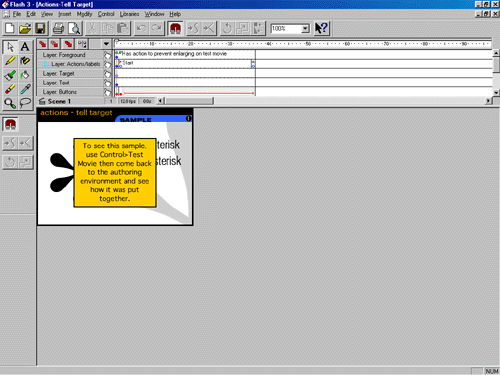
Flash is another popular multimedia authoring tool for the Internet
The following is a screen capture of Flash
3D creation tools - programs that allow you to create a 3D world, instead
of drawing on a X-Y plane, you draw on a X-Y-Z plane the Z plane is perpendicular
to the screen.
Maya
Lightwave
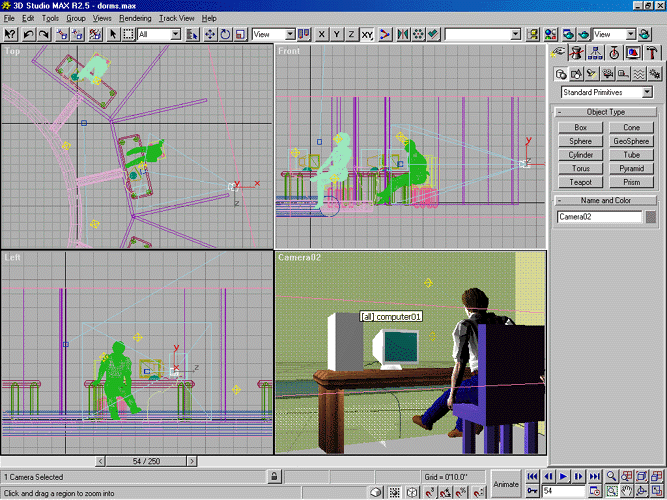
3D Studio Max
The following is a screen capture of 3D Studio Max 2.5
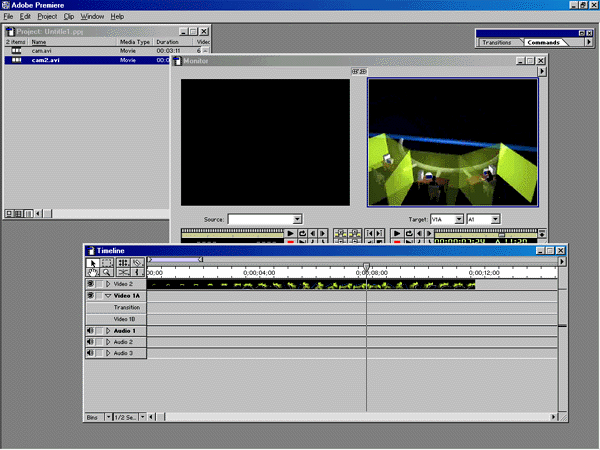
Adobe Premier is a non-linear editing tool where you can edit video on
the computer
The following is a screen capture of Adobe Premier 5.2
How to make an animated gif (easy way)
First you will need animated gif software such as Animagic. There are many
free or shareware animated gif software packages at any download site
such as downloads.com.
To start you need to open any paint type program and draw all your
pictures. Save them in some kind of sequence like the examples below.
For the Web I saved these as .gif files, but most paint programs
save the files as .bmp bitmap files. Web browsers don't like to show .bmp
files, but
that's OK because most animated gif programs such as Animagic will convert
your bitmap files (.bmp) to .gif's.

face1.gif
face2.gif
face3.gif
face4.gif
Now import your frames like the four above into your Animagic type
software and the software will put the pictures together into one file
such as the one below.
I use Animagic for my animated gifs, but there are many other
choices out there. Make sure you know what Animagic is used for on a quiz
of final.