Lab 10
March 29, 2005
Write a program to create this window:
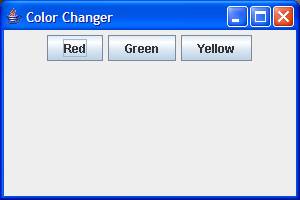
Add actionlisteners to each button so the
Red button pushed produces this:

Yellow button pushed produces this:
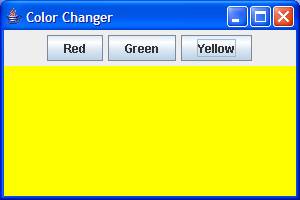
And of course the green button will produce a similar result, but the yellow panel above will be green.
I used two panels, one panel had a flowlayout that included the three buttons. A second panel was added to the frame and switched background colors when the buttons were pushed.
The two panels, the button panel and the color panel, where put into the frame using the default border layout. The button panel was placed in BorderLayout.NORTH and the colored panel was layed in BorderLayout.CENTER. Look at the examples and the GUI Interlude in the book to get the formatting of the BorderLayout.
Plan
Plan your code first. I’ve been told by TA’s and consultants that you don’t plan your solutions before you start hacking away. Think and plan your solution way before you start typing up code.
Answers
The answer’s to last week’s lab is posted here to help study for your test tomorrow. Click here.