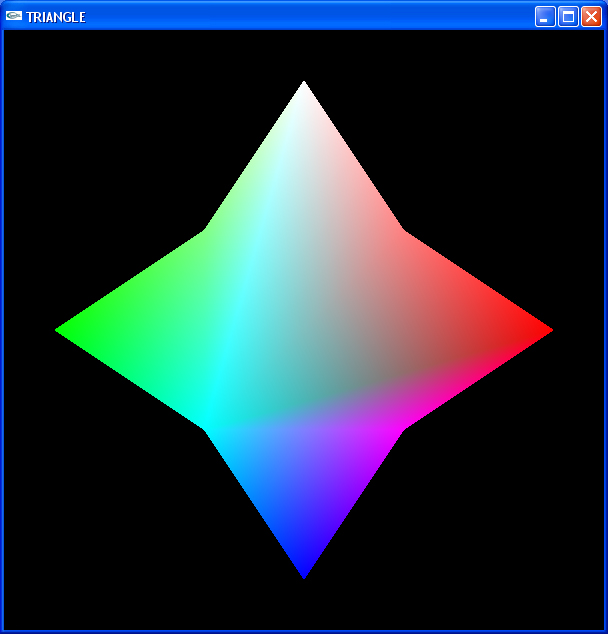
CS425 Laboratory 1
8/30/07 12:10 noon - 2:00 p.m.
Instructions
- Set up a local sub-directory where you will do your
CS425 lab work. Be sure to have this on your central account
so you can return to it from any machine.
- Copy the
triangle.c
program to your directory.
- Compile it and demonstrate the drawing of a smoothly
shaded colored square (see above).
- Here is a sample Makefile to help you get started. Makefile
- If you use Windows:
- You should work with whatever IDE you
know. Build a project using the triangle.c
file provided.
- If you use Linux:
- Copy both the
triangle.c
file to your directory and the Makefile
- $ make triangle
- $ ./triangle
- Now change something about the program. Either change the colors or
change the number of vertices. Display the changed program.
- Be sure to demonstrate the original and the changed Triangle
programs.
No Grade levels on this lab. Full credit if you demonstrate
the exit criteria and no credit if you do not.
Enrichment
Sometimes students finish the lab early and would like to
"play" a bit more with the topic of the day. This section
will often have suggestions for "further study". Doing these
things will not affect your grade for the lab in any way and
you needn't demonstrate anything. (Unless of course you
generate something really interesting.)
Today the Enrichment criteria is not really enrichment, it's actually assignment, and it's all required, so make sure you do them, you'll feel more enriched.
- Try changing the Z-coordinate of one or two of the square's vertices
in the triangle.c program. Does it change what is displayed? Why or
why not?
- Try changing the X-coordinate or Y-coordinate of a vertex in
the square. Does the picture displayed change as you would expect?
- If only the vertices are given a color, why does the triangle have
colors within its border?
- Can you change a parameter in the OpenGL
calls to get what's called a wireframe? How do the colors change now?
Final output
Recreate the picture from this link Picture